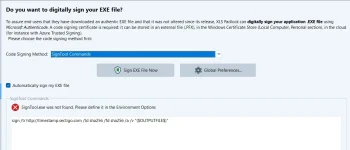
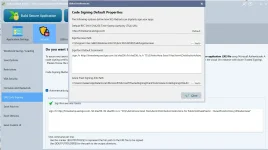
SignTool.exe was not found. Please define it in the Environment Option

The error shown in your screenshot indicates that SignTool.exe cannot be found on your system:

“SignTool.exe was not found. Please define it in the Environment Options.”
This happens because the Microsoft SignTool utility, which is required to digitally sign the EXE file when using the SignTool Commands method, is not installed or its path has not been configured in XLS Padlock.

Install the Windows SDK (if not already installed)
SignTool is included in the Microsoft Windows SDK.
You can download it from Microsoft:
https://developer.microsoft.com/en-us/windows/downloads/windows-sdk/

Locate SignTool.exe on your computer
After installation, it is usually located in a folder similar to:

C:\Program Files (x86)\Windows Kits\10\bin\10.x.xxxxx.x\x64\signtool.exe<br>
(or x86 depending on your system).
 
After installation of windows SDK it not generate any error but not sign also.
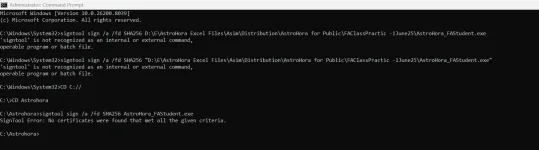
If i am trying manually below screen
after copy both file Signtool and AstroHora_FAStudent.exe to C:\Astrohora

Microsoft Windows [Version 10.0.26200.8039]
(c) Microsoft Corporation. All rights reserved.

C:\Windows\System32>signtool sign /a /fd SHA256 D:\E\AstroHora Excel Files\Asim\Distribution\AstroHora for Public\FAClassPractic -1June25\AstroHora_FAStudent.exe
'signtool' is not recognized as an internal or external command,
operable program or batch file.

C:\Windows\System32>signtool sign /a /fd SHA256 "D:\E\AstroHora Excel Files\Asim\Distribution\AstroHora for Public\FAClassPractic -1June25\AstroHora_FAStudent.exe"
'signtool' is not recognized as an internal or external command,
operable program or batch file.

C:\Windows\System32>CD C://

C:\>CD Astrohora

C:\Astrohora>signtool sign /a /fd SHA256 AstroHora_FAStudent.exe
SignTool Error: No certificates were found that met all the given criteria.

C:\Astrohora>
1774433307965.webp
 
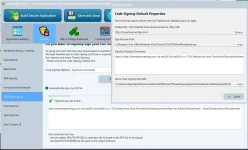
If Windows SDK is now set up, click Global Preferences in XLS Padlock (on code signing page) and let XLS Padlock auto-detect the path to SignTool.exe (click the appropriate button near the path field).
 
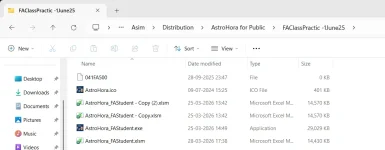
My folder and file location : "D:\E\AstroHora Excel Files\Asim\Distribution\AstroHora for Public\FAClassPractic -1June25\AstroHora_FAStudent.exe"
1774932744999.webp
1774932887578.webp
1774935435144.webp
 
You should replace the full path in the command line by "{$OUTPUTFILE$}".
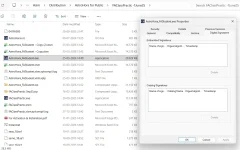
D:\E\AstroHora Excel Files\Asim\Distribution\AstroHora for Public\FAClassPractic -1June25\AstroHora_FAStudent.exe this is the path which i have placed. no signing. That's why I put screenshot also for your reference.
 
When you use the SignTool Commands method in XLS Padlock, you should not type the actual path to your EXE file in the command line. Instead, use the placeholder {$OUTPUTFILE$} — XLS Padlock will automatically replace it with the real path to your compiled EXE at build time.

For example, if your SignTool command line currently looks like this:

Code:
signtool sign /a /fd SHA256 "D:\E\AstroHora Excel Files\...\AstroHora_FAStudent.exe"

You should change it to:

Code:
signtool sign /a /fd SHA256 "{$OUTPUTFILE$}"
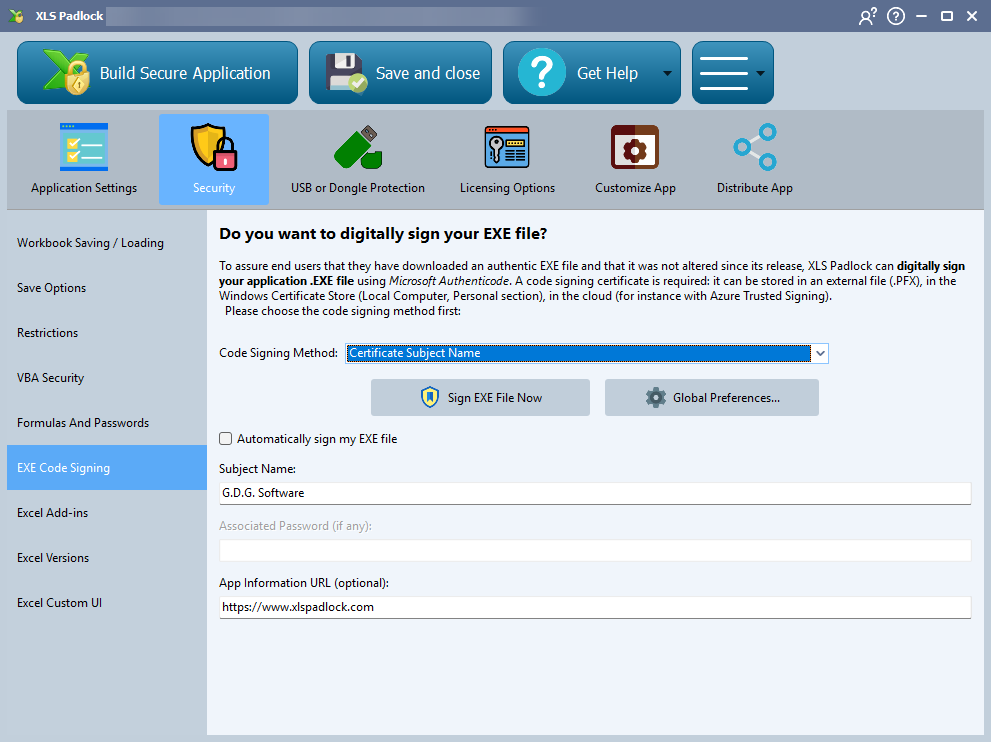

That way, no matter where your output EXE is located, XLS Padlock will substitute the correct path automatically.

Also, make sure that SignTool.exe path is correctly set in XLS Padlock's Global Preferences (click the auto-detect button to let XLS Padlock find it).

For more details, see the code signing documentation:
 
Last edited:
Back
Top