

Paquet Builder 2026.3 is now available.
This release is all about polish. Instead of piling on new features, 2026.3 sharpens the parts you touch every day: the custom action editor gets a proper modern makeover, on-screen text finally behaves on high-resolution displays, and a nagging crash on exit is gone. If your maintenance is active, the upgrade is free.
A friendlier custom action editor
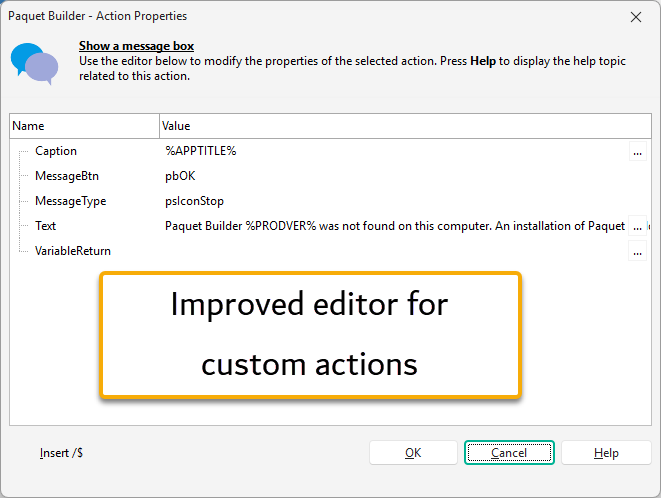
Custom actions are what let an installer do more than copy files, and the Action Properties panel is where you configure each one. We reworked it so the everyday feels lighter:
- Boolean options are real checkboxes now. Click them on or off, instead of hunting for True or False in a dropdown.
- Every text property carries an edit button, so the full value editor (handy for inserting variables and resource strings) is always one click away, not just on the complex fields.
- Prefer the keyboard? Ctrl+Enter opens that same editor while you type.
- The panel now follows your light or dark theme instead of keeping its own fixed look.
Text that stays sharp at any scaling
If you run Windows at 125% to 200% scaling, as most modern laptops and 4K screens do, a few interface elements (links, tab captions, File Manager column headers, list entries) could show up at double size. The scaling calculation is fixed in 2026.3, so the interface reads cleanly at any DPI.
No more crash when closing
Using the built-in Help browser (or any of the app's web-based windows) during a session could, on rare occasions, bring Paquet Builder down with an access violation as it closed. We corrected how those components are released, and that exit crash is gone.
Also in this build
- A better integrated Help window and other HTML-based screens.
- Internal cleanups across several custom actions.
- Small refinements throughout the application.
New to Paquet Builder?
Paquet Builder is our Windows installer builder, in active development since 2006. It wraps your application into a single compressed setup EXE (or a self-extracting archive) that installs your files, creates shortcuts and registry entries, runs your own custom actions, and code-signs the result. Build it visually, or drive it from the command line for CI/CD pipelines.
 Upgrade or try it
Active maintenance? Download it from your customer portal, or let the in-app updater offer it on your next launch (Help → Check for Updates). Maintenance lapsed? Renew to unlock 2026.3 and every release after it. Brand new here? Download the free trial, or buy a license to get started.
As always, let us know how the update works for you.