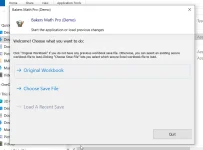
I have set up a Keyless (local testing only for simplicity) version of one of my apps for pre-Beta testing to make sure I have no surprises when I am ready for the actual Beta testing. MY primary dev machine is a Win 11 laptop with Office 2021 (Pro +) and I also set up VM on the laptop with Win 10 Pro & Office 2013 64-bit. My desktop, which is my fallback (with Office 2013 32-bit), both for dev and testing purposes; both desktop and laptop have the XLS-PadLock plugin installed. When I run the app on the laptop (native IOS) Dev it opens properly to the "Choose what you want to do" prompt and upon selection it properly opens the compiled Workbook to the "Navigation" userform and I am able to work with it without issue. When I run the app on the VM, desktop or my wife's laptop (Win 10 & Office 2013, 32-bit) the app opens to the "Choose" prompt and on selection tries to open the workbook but generates two/three errors which are hidden behind the Splash Screen.
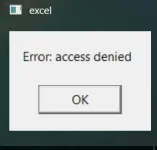
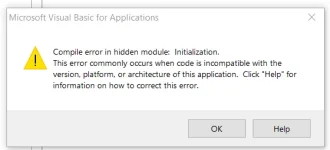
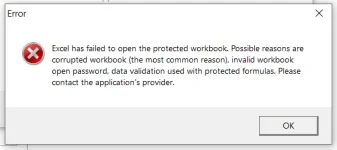
The only way I am able to see the first error is to click on the taskbar "Excel" icon which shows the "Access Denied" error and closing it allows access to the splash screen "If Nothing Happens" button. When I click on the "If nothing ..." button another prompt comes up asking if I want to Reload the Workbook. Clicking "NO" reveals another popup Error "Compile error in hidden module:", while clicking yes to "reload" workbook the display popup reads "Excel failed to open the protected workbook."
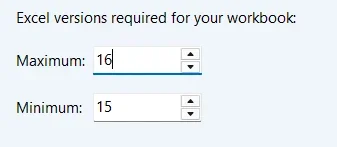
I compiled the workbook as "Universal". I have tested compiling the app on both the Laptop and Desktop and the app only functions properly on the Laptop native IOS.
In each scenario I download the app from my file server to a folder (or Desktop) on each device to avoid unwanted interaction. I have attached images below. Can someone please point me in the proper direction?
The only way I am able to see the first error is to click on the taskbar "Excel" icon which shows the "Access Denied" error and closing it allows access to the splash screen "If Nothing Happens" button. When I click on the "If nothing ..." button another prompt comes up asking if I want to Reload the Workbook. Clicking "NO" reveals another popup Error "Compile error in hidden module:", while clicking yes to "reload" workbook the display popup reads "Excel failed to open the protected workbook."
I compiled the workbook as "Universal". I have tested compiling the app on both the Laptop and Desktop and the app only functions properly on the Laptop native IOS.
In each scenario I download the app from my file server to a folder (or Desktop) on each device to avoid unwanted interaction. I have attached images below. Can someone please point me in the proper direction?